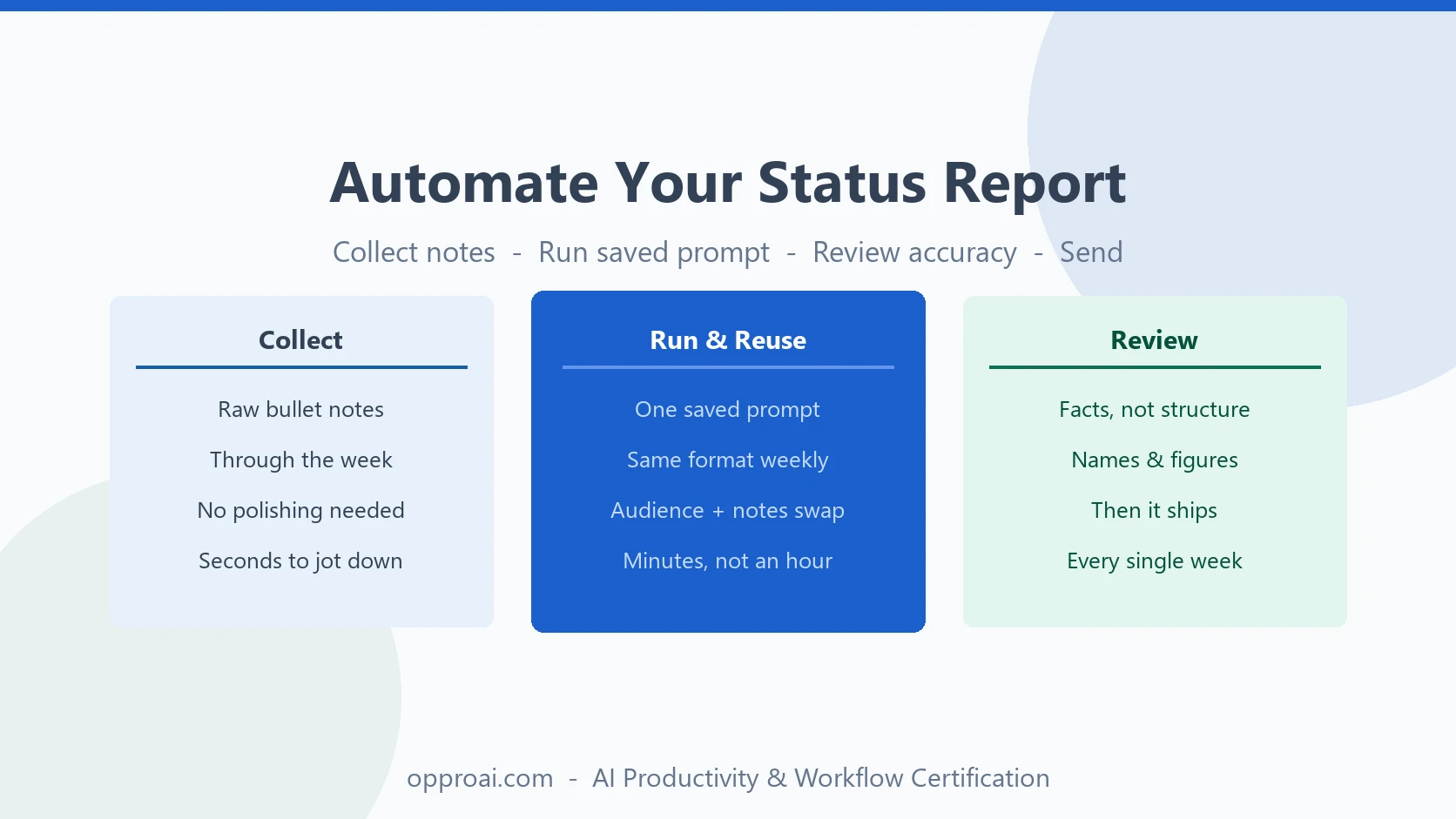
The weekly status report is the most avoidable hour of the week. Same format every time. Same sections. Written from scratch, usually on a Friday afternoon or a Monday morning, usually under some amount of time pressure, usually right when you have a dozen other things you would rather be doing.
This is exactly the kind of task that should be automated. It is repetitive — you are producing the same structure week after week. It is low-risk — nobody's career is riding on the exact phrasing of a status update. And it eats real time for very little judgment work. That combination is rare, and when you find it, it is worth building a system instead of repeating the manual work indefinitely.
Most people never get past treating AI as a one-off tool for this kind of task. They open a chat window, type a rough version of what happened that week, get back something generic, and either rewrite half of it or send it as-is and hope nobody notices the seams. That is not automation — it is just delegation done once, with no memory of what worked. A real system means building the prompt one time, well, and then reusing it every week with almost no thought at all. That is the difference this piece is actually about.
Why Status Reports Are a Perfect Automation Candidate
Three conditions make a task a good fit for AI automation: it is repetitive, it is structured, and it is low-stakes. The weekly status report clears all three. You write roughly the same report every week, it follows a format your manager already expects, and if a first draft is slightly off, the cost is a thirty-second edit, not a damaged relationship.
Compare that to something like a client apology after a service failure, or a message announcing a team reorg. Those carry real stakes — a relationship, someone's trust, sometimes someone's job — and they deserve your full attention and your own words, not a templated pass. When not to use AI at work covers that distinction in depth. The point here is narrower: status reports sit firmly on the safe side of that line, which is exactly why they are worth automating aggressively.
Think about what actually varies week to week in a typical status update. The sections do not change. The audience does not change. What changes is the specific content — what got done, what is stuck, what needs a decision. That is precisely the kind of variation a good prompt template is built to absorb. You are not asking AI to invent a report structure or guess at your priorities. You are asking it to pour known content into a known shape, fast, which is close to the easiest thing you can ask a language model to do well.
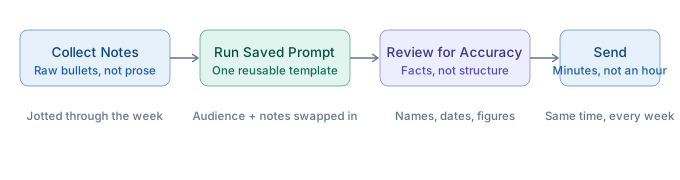
Step 1: Define Your Format Once
Before you touch a prompt, get clear on the sections your manager actually wants. Most status reports need only four:
- What shipped — what got finished and delivered since the last update
- What's in progress — what's actively moving, briefly
- Blockers — what's stuck, and what you need to unstick it
- Next week — what you're planning to tackle next
Keep it short and keep it consistent. The value of a format is that your manager can scan it fast and know exactly where to look for the thing they care about. If you redesign the structure every week, you lose that benefit and make the report harder to read, not easier.
Step 2: Build the Reusable Prompt
This is the actual system. Instead of writing a status update from scratch every week, you write the prompt once and reuse it indefinitely, swapping in new notes each time.
Write a weekly status update for [audience]. Raw notes: [notes]. Structure: what shipped, what's at risk, what I need a decision on. Under 200 words. Tone: direct, no filler.
Save that exact template somewhere you can find it fast — a note, a doc, a prompt library. The personal prompt library approach is built for precisely this: a small set of proven prompts with placeholders, ready to fill in and run the moment you need them, instead of reconstructing the wheel every Friday.
Notice what the template does and does not specify. It fixes the structure and the tone, because those should stay constant. It leaves the audience and the notes as open placeholders, because those are the only two things that actually change from week to week. That is the general pattern for any reusable prompt: lock down everything that should not vary, and leave a clearly marked slot for the one or two things that will. A prompt with too many placeholders is not actually reusable — you are back to writing it from scratch every time, just with extra steps.
Step 3: Feed It Raw Notes, Not a Clean Draft
Here is the part people get backwards. The instinct is to write a rough version of the update yourself and then ask AI to "clean it up." That produces a worse result than you'd expect, because polished input gives the model nothing to actually do — it just reformats your sentences and hands them back with different word choices.
Bullet-point notes work better. Fragments. Half-formed thoughts. "Shipped v2 of onboarding flow, still waiting on legal for the contract redline, need a decision on Q3 budget by Wednesday." That kind of raw input forces the model to actually synthesize — to figure out what belongs where, what's a blocker versus a decision, what to compress and what to keep. You get more value out of the tool by giving it less-finished input, which is the opposite of what most people assume.
There is a practical reason this matters beyond output quality: raw notes are faster to produce. Keeping a running list of bullet points throughout the week — jotted down the moment something ships or something breaks — takes seconds each time and means Friday's report writing starts with the material already collected instead of starting with a blank page and a foggy memory of what actually happened five days ago. The notes do not need to be organized. They just need to exist.
Step 4: Review for Accuracy, Not Structure
The prompt already handles structure — that's the point of building it once. So your review time should not go toward re-organizing paragraphs or fixing sentence flow. It should go toward checking that the facts are right.
Did it get the ship date correct? Is the number it cited the one you actually gave it? Did a name get misattributed to the wrong project? These are the errors that matter, because a status report with a wrong figure or a misattributed credit is worse than a status report that took an extra ten minutes to write. Spend your review time here, not on wordsmithing a report nobody is going to read that closely anyway.
This is also where the time savings actually come from. If you review a machine-generated status update the same way you would review one you wrote yourself from scratch — rereading every sentence, second-guessing the phrasing, tightening word choice — you have not saved any time, you have just moved the work from writing to editing. The system only pays off if your review is narrow and fast: a confirmation pass on facts, not a rewrite.
Where This Breaks Down
This system is built for the ordinary weekly update — the one that gets skimmed, filed, and forgotten by next week. It is not built for every situation a "status report" might appear in.
Sometimes a status update is not really a status update. It is the vehicle for a difficult conversation — a project that is meaningfully behind and the update is really where you tell your manager that a deadline is at risk in a way that affects other people's plans. Or it lands during a layoff or reorg, when anything you send up the chain is being read with more scrutiny than usual, and generic, AI-smoothed language can come across as tone-deaf regardless of how accurate the content is.
That is judgment territory, not automation territory. When a status update is carrying real stakes, treat it the way the judgment framework describes: use AI for structure if it helps, but write the substance yourself, and give it the attention the moment actually requires.
The practical rule is simple: if you catch yourself hesitating before pasting your notes into the prompt — wondering if this particular update needs more care than usual — trust that hesitation. It is usually a sign the report has quietly turned into something more than a routine update, and the automation should pause right there while you write that one by hand.
For the ordinary week, though, this system gives you back real time. If you want more reusable prompts like this one — for status updates, meeting recaps, and the other recurring writing tasks that eat your week — the free prompt library has a growing set you can copy and adapt. And if you want to build this kind of systematic AI workflow across your whole job, not just one report, the OpPro AI Productivity & Workflow Certification is built for exactly that.