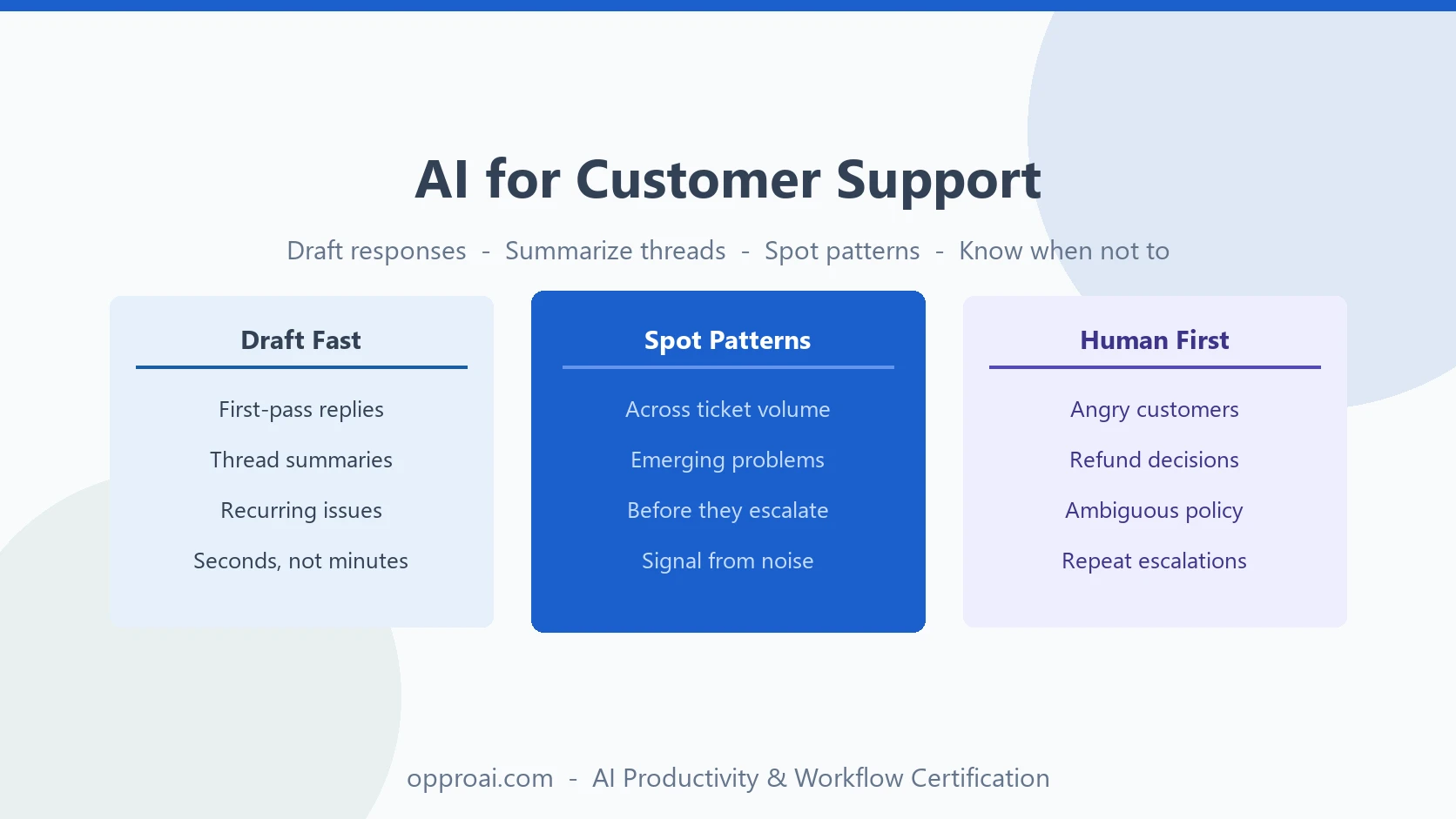
Customer support has a specific version of the AI trap: the tools that make a team faster are the same tools that, used carelessly, make customers feel like nobody actually read what they wrote.
Zendesk's CX Trends research has found this pattern repeatedly — customers consistently rank response speed and feeling heard among their top priorities, and trust drops fast the moment a response feels obviously automated on an issue that actually matters to them. Speed without attention doesn't read as efficient. It reads as dismissive.
The support teams getting real leverage from AI aren't the ones automating the most tickets. They're the ones using AI to go faster on the tickets that don't need a human touch, so there's more time and attention left for the ones that do.
Where AI Creates Leverage in Support
AI is strong at drafting responses to well-understood, recurring issues, summarizing long threads, and finding patterns across large volumes of tickets. It's weak at reading whether a customer is frustrated in a way that needs acknowledgment, and at making judgment calls about refunds, exceptions, or anything not clearly covered by policy.
The highest-leverage zones for a support team:
- First-pass response drafts — a starting point for common, well-understood issues
- Thread summarization — compressing long or multi-person conversations before a handoff
- Pattern-spotting — surfacing recurring complaints across many tickets that no single agent would notice alone
- Internal knowledge lookup — turning a policy question into a fast, accurate answer an agent can act on
None of these should touch a ticket where the customer is upset, the situation is ambiguous, or real money is on the line without a human reviewing it first.
Drafting First-Pass Responses
For clear, recurring issues — a password reset, a billing question with a known answer, a how-to request — AI can produce a solid first draft in seconds. The agent's job shifts from writing from scratch to reviewing and personalizing.
First-pass response prompt:
A customer wrote: [paste ticket]. Our policy on this is: [paste relevant policy or knowledge-base article]. Draft a response that directly answers their question, references their specific situation (not a generic version of it), and matches a warm, direct support tone — not corporate or overly formal. Keep it to what's actually needed to resolve this.
The instruction to reference their specific situation is the difference between a response that reads as personal and one that reads as copy-pasted. An agent should still read the customer's message and adjust the draft to match anything specific they mentioned — a mood, a prior interaction, a detail the AI draft glossed over.
Summarizing Long or Multi-Person Threads
Some tickets balloon — a back-and-forth with three people cc'd, a thread that's been reassigned twice, a conversation spanning weeks. Getting a new agent up to speed by reading all of it is expensive. AI compression makes handoffs faster without losing the thread.
Thread summary prompt:
Here's the full ticket thread: [paste]. Summarize: what the customer's core issue is, what's already been tried or promised, the current status, and what the next agent needs to do. Flag anything that looks unresolved or contradictory across the thread.
Always have the next agent skim the actual thread for anything flagged as unresolved before acting on the summary alone. Summaries compress information; they don't replace judgment about what to do with it.
Spotting Patterns Across Tickets
A single agent notices when the same complaint comes up three times in their own queue. Nobody notices when it comes up thirty times spread across the whole team — until AI looks at all of it at once.
Pattern-spotting prompt:
Here are [50-100] recent support tickets on [product area]: [paste or summarize]. Identify the 3-5 most common issues, roughly how frequently each appears, and flag anything that looks like a new or emerging problem rather than a known one.
This is one of the clearest wins in support AI use, because it turns ticket volume — normally just a cost — into a signal. A spike in a specific complaint is often the first real warning of a product bug or a broken workflow, and it shows up here before it shows up in a formal bug report.
The Judgment Call: Which Tickets Need a Human First
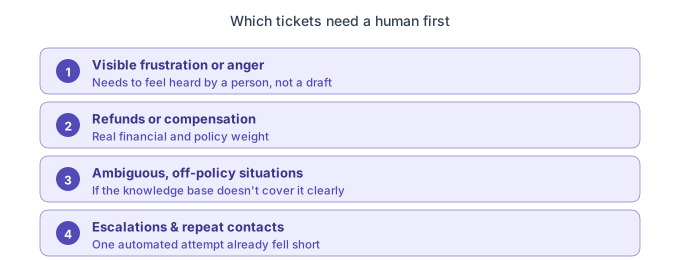
Not every ticket should touch an AI draft before a human does. A short list of situations that should route to a person first, every time:
- Anything with visible frustration or anger. A customer who's clearly upset needs to feel heard by a person, not answered by something that reads as generic regardless of how accurate it is.
- Refunds, credits, or compensation decisions. These carry real financial and policy weight and need a human weighing the specific circumstances, not a template applied uniformly.
- Ambiguous situations not clearly covered by policy. If the right answer isn't obvious from the knowledge base, that ambiguity is exactly the kind of judgment call AI shouldn't be making unsupervised.
- Escalations and repeat contacts. A customer reaching out again about the same unresolved issue has already had one attempt fail. That moment calls for more attention, not the same automated pass again.
This is the same three-question instinct from when not to use AI at work applied to a support queue: real stakes, a customer who'd feel dismissed by an obviously automated response, and whether someone is actually reviewing the outcome or just clearing the queue.
Building a Support Prompt Library
Support teams getting consistent value from AI standardize a small set of prompts across the team rather than leaving each agent to improvise:
- First-pass response draft (tied to your actual knowledge base, not generic phrasing)
- Thread summary for handoffs and escalations
- Weekly pattern report across recent ticket volume
- Internal policy lookup ("what's our policy on X, and where is it documented")
Standardizing these means new agents ramp faster and the whole team's AI-assisted responses sound like one consistent brand voice instead of whatever each agent happened to prompt for — the same discipline behind reviewing AI output before it goes out, applied at team scale.
The OpPro AI Productivity & Workflow Certification teaches this exact balance: using AI to move faster on the work that doesn't need a human touch, and building the judgment to recognize, quickly and reliably, the tickets that do.