"Which AI tool should I use?" is one of the most common questions non-technical professionals ask, and most of the answers online aren't built for them — they're benchmark comparisons written for developers, or vendor marketing dressed up as objective advice.
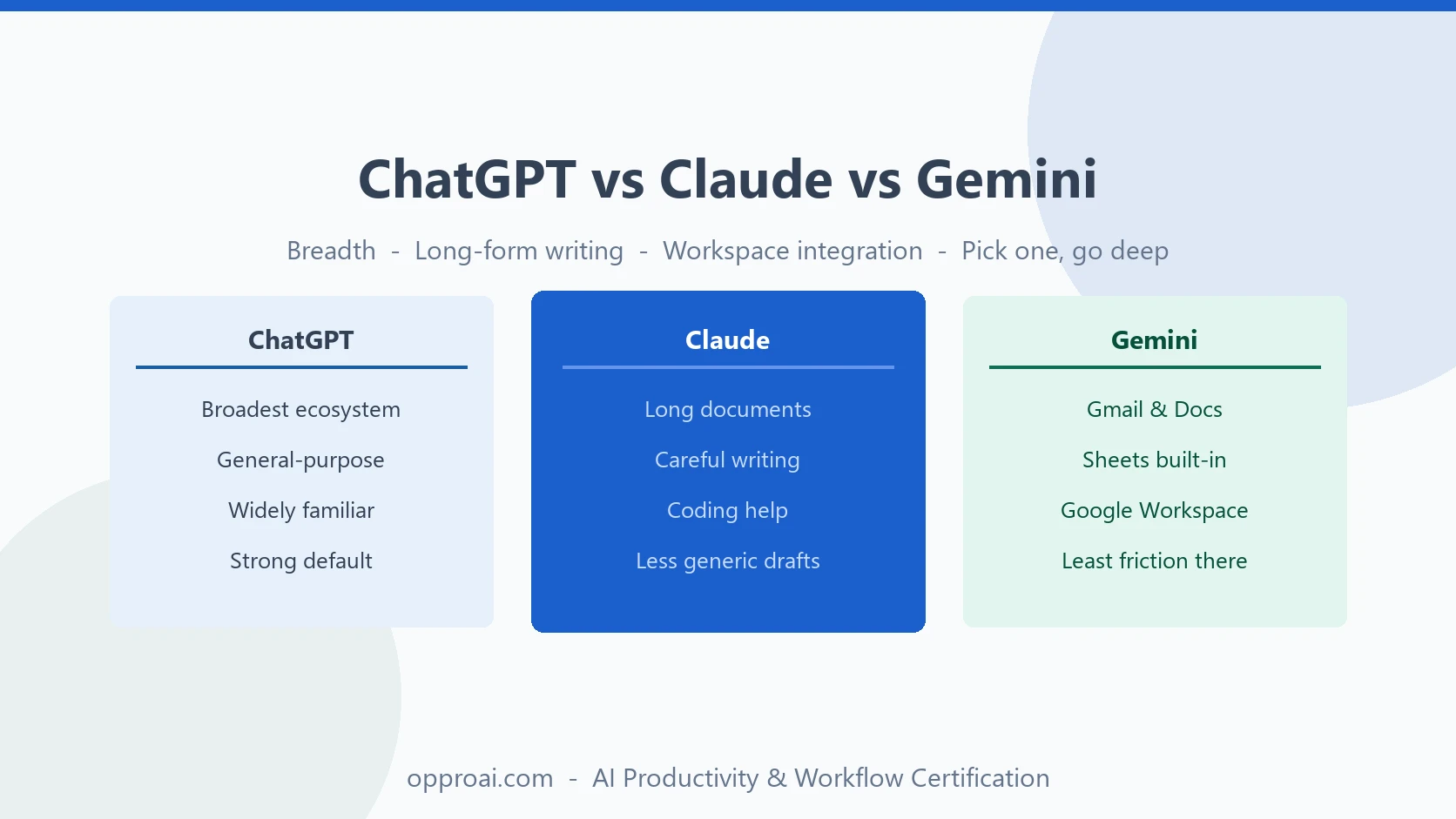
Here's a practical answer. ChatGPT (OpenAI) is the broadest general-purpose assistant, with the widest ecosystem of integrations and apps. Claude (Anthropic) is generally regarded as strongest for long-document writing, nuanced editing, and coding help. Gemini (Google) integrates most tightly with Gmail, Docs, and Sheets for people already living in Google Workspace. Most professionals get more value from picking one, learning it well, and building a workflow around it than from switching between all three chasing marginal differences.
That last sentence matters more than the rest of this article. But the differences are real enough to be worth five minutes of thought before you commit.
What Each Tool Is Actually Built For
ChatGPT
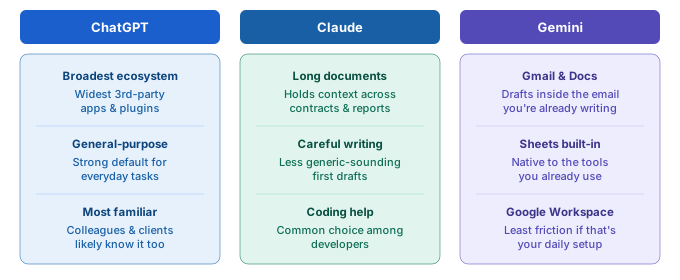
ChatGPT has the largest user base and the widest third-party ecosystem — custom GPTs, plugins, and integrations built by other companies on top of it. It's a strong general default: broad knowledge, solid at brainstorming, comfortable with a wide range of everyday tasks, and the most likely tool your colleagues and clients are already familiar with, which matters when you're collaborating.
Claude
Claude has a reputation, backed by consistent professional use, for handling long documents well — contracts, reports, research papers — without losing track of earlier context, and for producing writing that reads as less generic and more carefully reasoned than a typical first AI draft. It's also a common choice among people who write or edit for a living, and among developers for coding assistance.
Gemini
Gemini's clearest advantage is where it lives: built into Gmail, Docs, Sheets, and the rest of Google Workspace. For a professional whose entire workday runs through Google's tools, that native integration — drafting inside an email you're already writing, summarizing a doc without leaving it — removes friction the other two tools can't match unless you're deliberately copying content back and forth.
Where the Real Differences Show Up at Work
Drafting or editing a long report or proposal. This is where Claude's reputation for handling long context carefully tends to matter most — less drift, less repetition, more consistency across a long document.
Quick brainstorming, research, or an everyday question. All three handle this well. ChatGPT's familiarity and ecosystem often make it the path of least friction here.
Working inside Gmail, Docs, or Sheets all day. Gemini's native integration saves real time — the tool is already where the work is happening, instead of requiring a copy-paste round trip.
Getting help with a spreadsheet formula or a light coding task. Claude and ChatGPT are both strong here; Claude in particular is a common choice among developers for this kind of work.
Collaborating with colleagues or clients who use a specific tool. Sometimes the practical answer is simply: use what the people you work with use, so drafts and shared context move between you without friction.
What Doesn't Actually Matter for Most Professionals
Benchmark leaderboards move constantly, and whichever model tops a specific test this month is a poor reason to switch tools for everyday work. These systems improve on a roughly monthly cycle — any specific capability claim in an article like this one should be treated as a snapshot, not a permanent ranking. What holds steady is each tool's underlying orientation: ChatGPT toward breadth and ecosystem, Claude toward careful long-form writing and coding, Gemini toward Workspace integration. Those characteristics change more slowly than any single benchmark score.
Chasing "the best model" every time a new version launches also has a real cost: every switch resets the small amount of tool-specific fluency you've built — the custom instructions you've set up, the saved prompts, the sense of how a specific tool responds to your phrasing. That fluency is worth more to your daily output than a marginal capability gain from switching tools every few months.
The Tool Isn't the Skill
The professionals who get the most out of AI at work aren't the ones with the "best" tool. They're the ones with a repeatable process: a clear brief, a habit of refining the first draft instead of accepting it, and a consistent review before anything ships. That process — the Build → Refine → Deliver discipline — transfers completely if your employer standardizes on a different tool next year, or if you switch jobs into a company using something else.
This is also why it's worth building a personal prompt library around your actual recurring tasks rather than around one specific tool's quirks. A well-built prompt for a weekly status report, a meeting summary, or a first-draft email works — with minor adjustment — in any of these three tools, because the structure of a good prompt doesn't depend on which company built the model reading it.
If you're choosing for the first time: pick based on where you'll actually use it most — your existing software (Gemini if that's deeply Google Workspace), your existing habits (ChatGPT if you or your team already knows it), or your primary task (Claude if it's mostly long-form writing or editing). Then commit to learning that tool's specific behavior instead of re-litigating the choice every few months.
The OpPro AI Productivity & Workflow Certification is deliberately tool-agnostic for exactly this reason — it teaches the briefing, refining, and reviewing skill that makes you an effective AI operator regardless of which of these three tools your employer hands you.