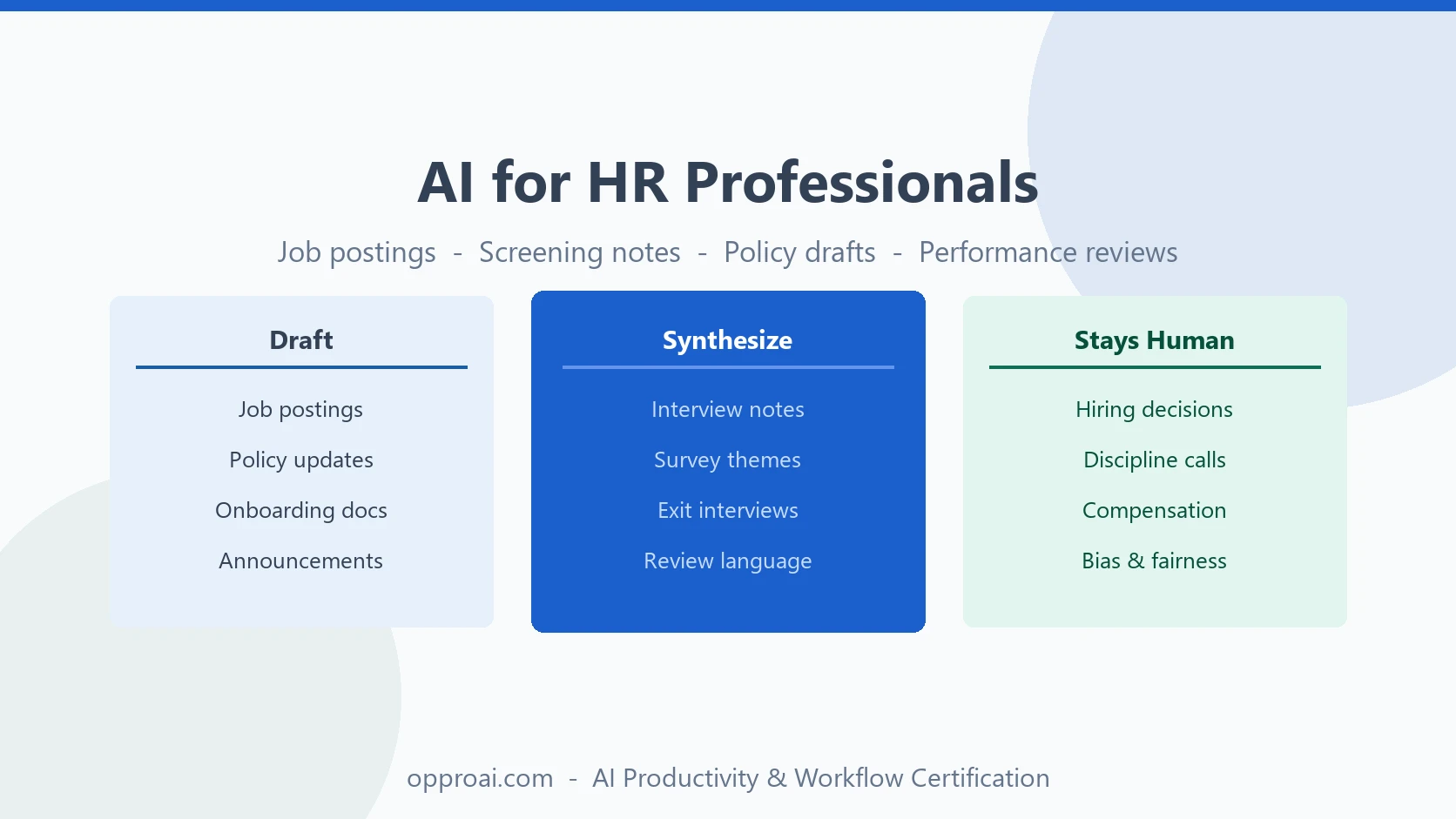
HR has a strange relationship with AI.
No function writes more first drafts — job postings, offer letters, policy updates, performance review language, onboarding guides, employee announcements. And no function carries more risk when a draft goes out wrong, because the subject is always a person, and the exposure is always legal, reputational, or both.
That combination is exactly why HR professionals should be using AI deliberately — not to make decisions, but to compress the drafting and synthesis work that eats a disproportionate share of the week, while keeping every judgment call about people firmly human.
Here's where that line actually falls, and how to work on the right side of it.
Where AI Creates Leverage in HR
AI is strong at producing structured first drafts from information you already have, and weak at anything requiring judgment about a specific person's fit, performance, or fairness.
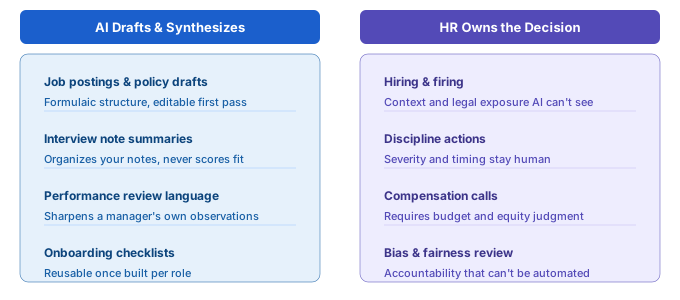
The highest-leverage zones:
- Drafting — job descriptions, policy language, employee communications, offer letters
- Synthesis — condensing interview notes, engagement survey themes, exit interview patterns
- Structure — turning a rough idea for a program or policy into an organized first outline
None of these replace HR judgment. All of them remove the blank-page problem that makes routine HR writing take longer than it should.
Job Descriptions and Postings
Job descriptions are formulaic enough for a strong AI first draft, and specific enough that they still need an HR editor who knows the role, the team, and what actually gets candidates to apply.
Job description prompt:
Draft a job posting for a [role title] on our [team name] team. Reports to [role]. Core responsibilities: [list]. Must-have qualifications: [list]. Nice-to-have: [list]. Our tone is [e.g., direct and down-to-earth, not corporate]. Include a 2–3 sentence intro about the role's impact, a responsibilities section, and a qualifications section. Avoid gendered or exclusionary language.
Always run the output through a bias check before posting — read it as a candidate would, and watch for phrasing that quietly filters out qualified people (unnecessary degree requirements, aggressive years-of-experience thresholds, jargon that only insiders would use).
Screening and Interview Summaries
AI is useful for compressing your own notes after a screen or interview — not for scoring or ranking candidates.
Interview notes prompt:
Here are my raw notes from a screening call with a candidate for [role]: [paste notes]. Summarize into: key qualifications discussed, notable strengths, open questions or concerns, and a factual recap of what was discussed about compensation and timeline. Do not infer or rate overall fit — just organize what I wrote.
That last line matters. The moment AI starts scoring or ranking candidates from your notes, you've handed a judgment call to a tool that has no visibility into your team's actual needs — and you've introduced a bias and compliance risk that's hard to audit later. Use it to organize what you already concluded, never to reach the conclusion.
Performance Review Language
Managers routinely know what they want to say about an employee's performance and struggle to say it clearly, fairly, and without defensiveness on either side. AI is a strong editor for this — with the manager's actual observations as the input, never as the output.
Performance review prompt:
I need to write performance review feedback for a team member. Here's what I've observed this cycle: [specific examples of strengths and areas for growth]. Help me turn this into clear, specific, and fair written feedback. Lead with concrete examples, not generalizations. Keep the tone direct but supportive.
The specifics — what the person actually did, what the actual growth area is — have to come from the manager. AI should never generate performance content from scratch; it should sharpen language around observations a manager already has. If a manager can't fill in the brackets with real detail, that's a signal the review itself isn't ready to be written yet.
Policy Drafts and Employee Communications
Policy updates and company-wide announcements are two of the most time-consuming writing tasks in HR, and two of the best fits for an AI first draft — because the content is usually already decided (what changed, why, when it takes effect); the work is turning that into clear, complete, well-organized language.
Policy update prompt:
We're updating our [policy name] policy. What's changing: [specifics]. Why: [brief context]. Effective date: [date]. Draft an employee-facing announcement that explains the change clearly, states what employees need to do (if anything), and where to direct questions. Tone: clear and matter-of-fact, not alarmist.
Route every policy draft through your legal or compliance reviewer before it goes out, exactly as you would with a human-written draft. AI accelerates the writing step. It does not replace the sign-off step.
Onboarding Materials
New-hire onboarding guides, first-week checklists, and role-specific ramp plans are highly reusable once built — which makes them a good one-time investment of AI-assisted drafting time.
Onboarding checklist prompt:
Draft a first-week onboarding checklist for a new [role title] joining [team]. Include: account and access setup, key introductions to make, essential documentation to read, and a suggested week-one goal. Format as a checklist a hiring manager can hand to a new hire.
Build this once per role, refine it after the first few new hires actually use it, and it becomes a reusable asset rather than something recreated from scratch every time someone joins.
What Stays With HR — Always
AI should never make or materially influence:
- Hiring and firing decisions. These are judgment calls about a specific person, grounded in context AI doesn't have and legal exposure it can't assess.
- Disciplinary actions. Tone and structure can be AI-assisted; the decision to discipline, and its severity, is not.
- Compensation decisions. Pay equity and offer decisions require organizational context, budget realities, and fairness judgment that stays human.
- Anything with legal or compliance exposure. AI drafts the language. A qualified reviewer — internal counsel, compliance, or an experienced HR leader — signs off before it's final.
- Bias and fairness calls. If an output could plausibly disadvantage a protected group, that requires human review with actual accountability behind it, not a disclaimer.
The pattern across all five: AI compresses the time between "I know what I want to say" and "it's written clearly." It never gets to decide what should be said, or about whom.
Building an HR Prompt Library
The HR teams getting the most out of AI keep a small, reusable prompt set for their recurring writing:
- Job posting by role family (technical, non-technical, leadership)
- Interview notes → structured summary
- Performance review language (input: manager's specific observations)
- Policy update announcement
- Onboarding checklist by role
- Exit interview theme synthesis
Each prompt takes one or two iterations to get right, then runs on repeat with new specifics dropped in each time. Building a personal prompt library takes about half an hour and pays for itself within the first week of reuse.
The Bottom Line
HR is one of the highest-leverage places in a company for AI-assisted drafting — and one of the least tolerant of shortcuts on the decisions that actually affect people's careers and livelihoods.
The professionals doing this well follow a simple rule: AI drafts the language, a human owns the decision. That's the Build → Refine → Deliver pattern applied to people work — AI builds the first draft, you refine it with the judgment only you have, and you're the one who delivers it under your name.
The OpPro AI AI Productivity & Workflow Certification covers this exact discipline — how to get real speed from AI on documentation-heavy work without ever handing off the calls that require human judgment.